BG Removal
What is BG removal?
Removal automatically removes the background from any image with high precision, leaving you with a clean, transparent result ready for further editing or compositing. It’s ideal for portraits, product shots, and creative assets where you need a quick and seamless way to isolate the subject.
This tool is designed for effortless integration and can be used with any of your existing photo or event or pre and post processing workflows.
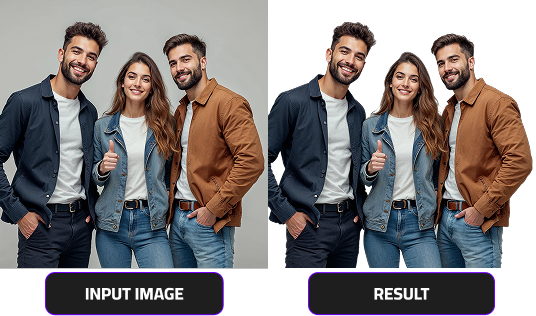
Overview
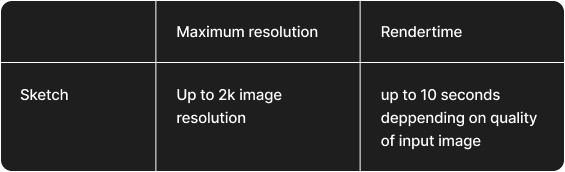
Best practices
For the best background removal results, keep the following tips in mind:
- Use well-lit images with even, natural lighting. Avoid strong shadows or overly dark environments.
- Prefer high-resolution photos where the main subject is centered and fully visible.
- Avoid motion blur, filters, or heavy color overlays that might distort edges.
Following these steps ensures clean cutouts and professional-quality results every time.
Usage Guide for BG Removal
To do your first test and get started with BG Removal, click the link below to access the endpoint documentation. You’ll find everything you need to make your first API call and start integrating background removal into your workflow.
Access BG Removal Endpoint & Documentation