API > Core Products API > Faceswap
Faceswap Ai-Modell comparison
Choosing the right AI model depends on your use case and desired output quality. Below is a quick overview to help you decide which version best fits your needs.
Model v4
- Faster processing times
- Ideal for quick previews or high-volume use cases
-
Limitations:
-
May not accurately render details such as glasses
- May not fully capture bald heads
- May not correctly display culturally specific accessories (e.g., hijabs)
Model v5
- Higher-quality and more realistic results
-
Accurately displays:
-
Glasses
- Bald individuals
- Cultural items like hijabs
- Slightly longer render times (see details in the section below)
Recommendation:
We generally recommend v5, as it provides significantly improved output quality, realism, and cultural awareness compared to v4.
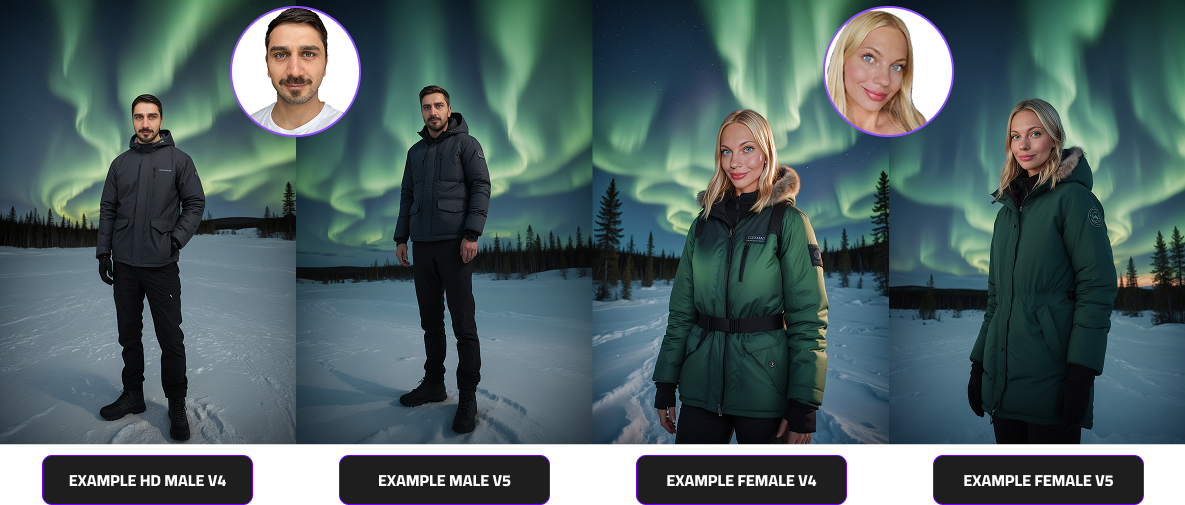
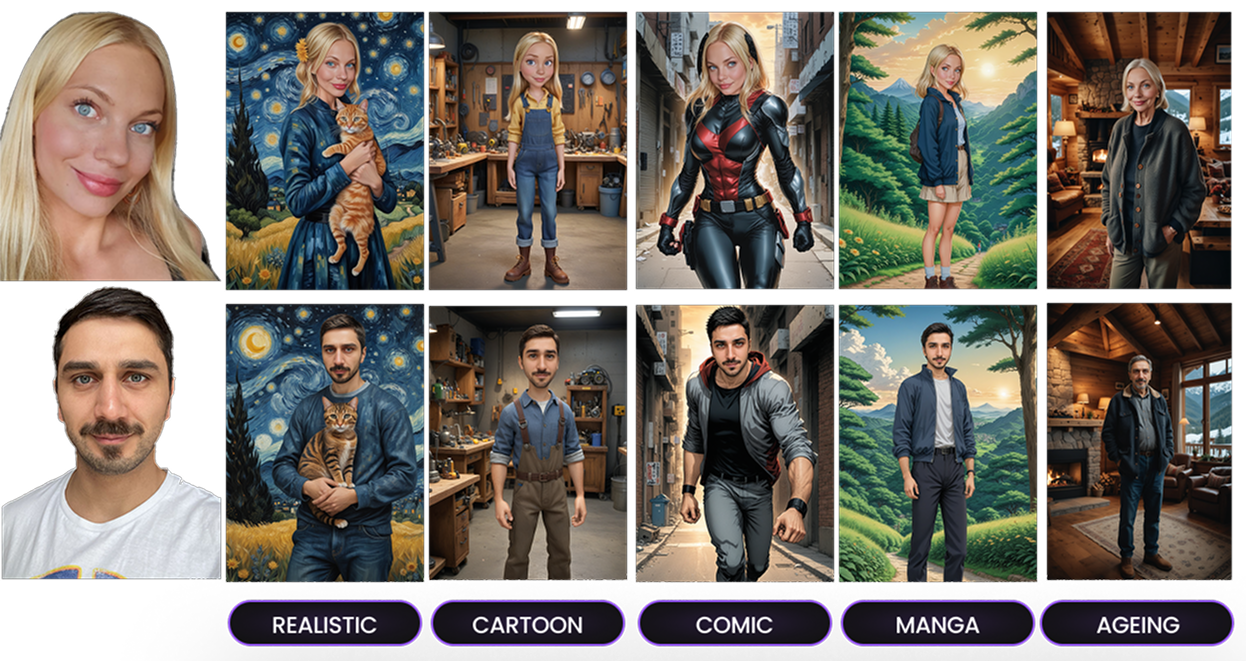
In addition to our AI models v4 and v5, we offer a wide variety of creative styles to customize your results.
Below, you can explore the different style options we provide — each designed to complement your chosen model and use case.
To view all available FaceSwap filters and style variations, click the link below to open our full gallery.
- Realistic
- Cartoon
- Comic
- Manga
- Ageing
Explore All filters and styles
Faceswap Rendertimes comparison
Below you’ll find a detailed overview of our AI models v4 and v5, including generation times, quality levels, skin tone transfer accuracy, and rendering of accessories such as glasses and hijabs.
For a visual comparison between the two models, please refer to the section above.
