API > Core Products API > Faceswap
Faceswap best practices
What are good input images?
The quality of your result depends heavily on the quality of your input photo. Below are examples and tips to get the best results possible.
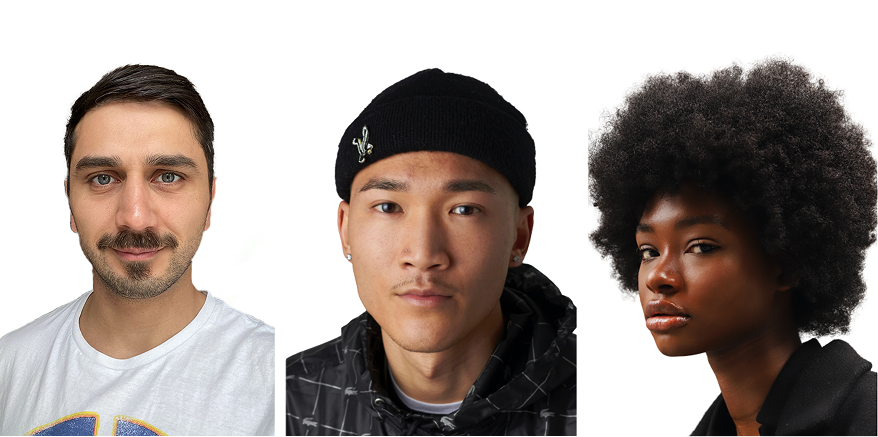
✅ DOs — What Works Best
- Use well-lit photos (natural light is ideal)
- Ensure the face is fully visible (no sunglasses, hands, or obstructions) and makes up around 1/3 to 1/2 of the image, the more details are visible the better
- Choose high-resolution images with clear, sharp details
- 📸 See examples of good input photos to understand how to set it up
❌ DON’Ts — Common Mistakes
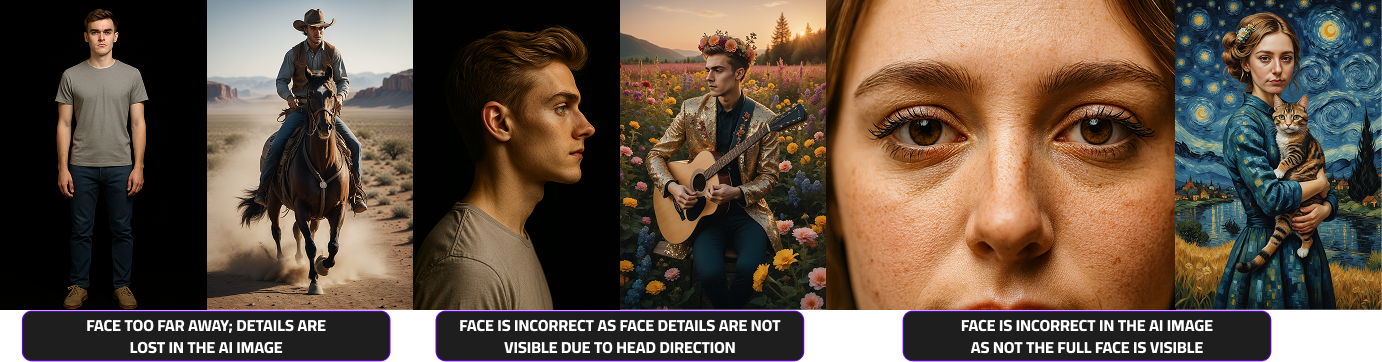
- Avoid blurry, pixelated, or low-resolution selfies
- Don’t use side profiles or extreme angles
- Skip photos with harsh lighting or strong shadows
- Avoid hats, filters, or obstructions covering the face
- 📸 See examples of bad input photos to understand what to avoid.
How should I create a good user journey?
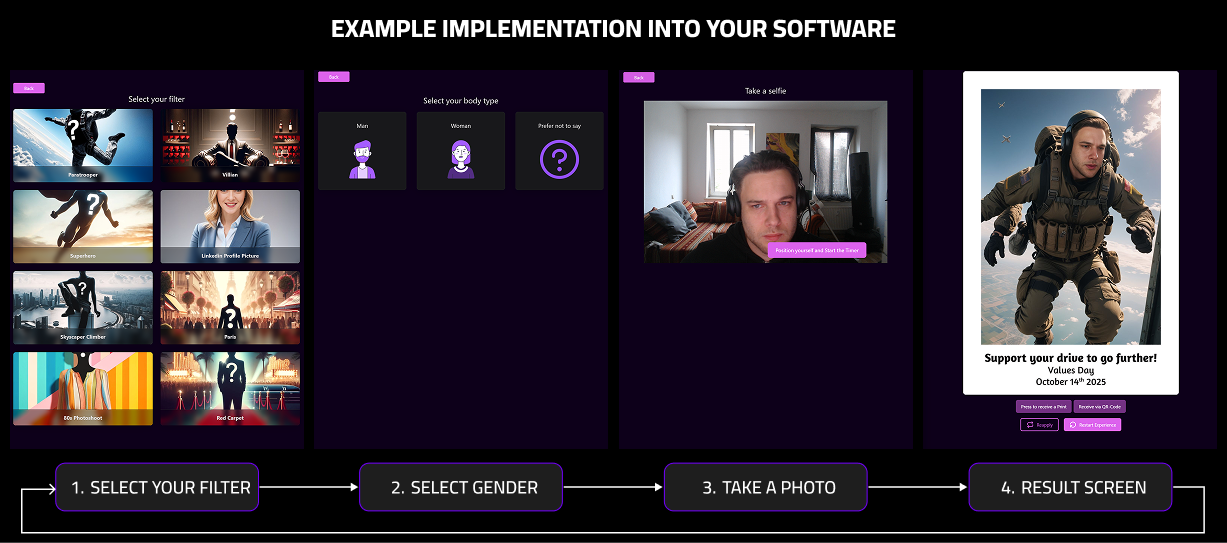
To integrate our AI photo booth experience seamlessly into your web app, follow the user flow below:
- Filter Selection – Let users choose from the available filters or effects.
- Gender Selection – Prompt users to select their gender for optimized results.
- Photo Capture – Start a short countdown before taking the photo, giving users time to pose.
- Processing & Results – While the image is processing, show a loading screen. Then display the final result.
- Results screen – Offer users the options to download or print their generated images and also to retake the photo or start a new session.
Example implementation into your software