API > Core Products API > Multiswap
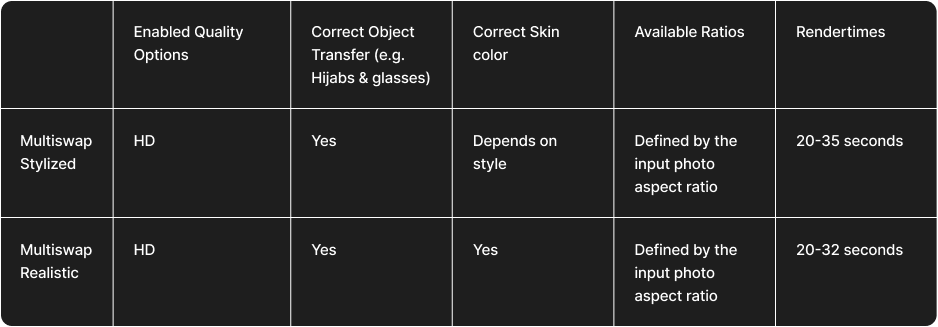
Comparison Multiswap Realistic VS Stylized
MultiSwap offers two modes — Realistic and Stylized — each suited to different needs.
Realistic mode focuses on accuracy, preserving every participant’s true features and expressions while placing them into a new scene.
Stylized mode, on the other hand, interprets the same group creatively — turning faces and scenes into unique, art-inspired transformations such as Van Gogh paintings or 3D characters.
If maintaining true likeness is your goal, choose Realistic; if you’re aiming for creativity and visual impact, Stylized is the way to go.
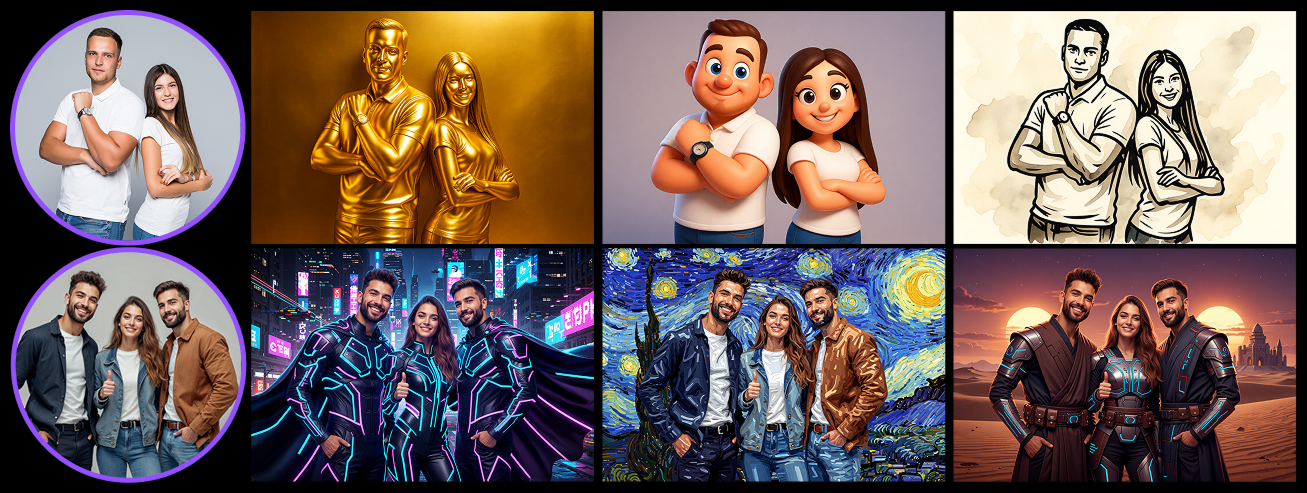
Explore Available Styles
Want to see what’s possible with each mode?
Click the links below to explore our full galleries and discover all available ready-to-use filters for both Realistic and Stylized.
Multiswap Rendertimes comparison
Below you’ll find a detailed overview of the MultiSwap rendering options, including:
- quality modes
- available aspect ratios
- object and face detection strength
- skin tone accuracy
- other key visual parameters
For a visual comparison of results in both Realistic and Stylized modes, please refer to the section above.