API > What AI-Features do you offer?
Faceswap
What is faceswap?
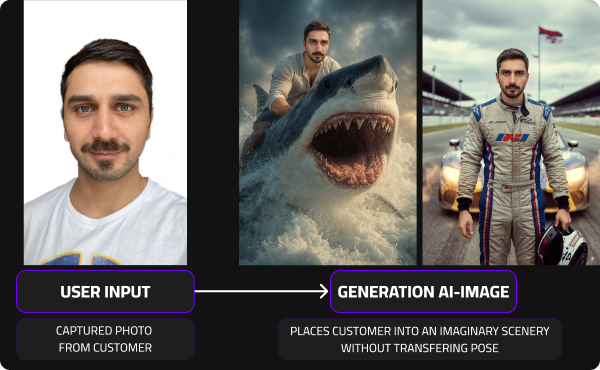
A single-person focused re-imagination tool that lets users see themselves in new poses, styles, or sceneries.
A selfie is enough and the users becomes a samurai, astronaut, model, or any character. your identity brought to life in any world.
Pros & Cons
- Lets users re-imagine themselves with full artistic freedom, exploring new poses, styles, or scenes
- ❌Identity resemblance may vary slightly since the likeness is reconstructed within a new pose and lighting context, unlike Multiswap’s full preservation.
FaceSwap – Model Comparison Overview
Choosing the right FaceSwap model depends on your use case, quality expectations, and deployment environment.
Below is a simplified comparison of our available models, including the newest generation v6.
🚀 Model Comparison
| Feature | v4 | v5 | v6 (recommend to use) |
|---|---|---|---|
| Primary Focus | Speed | Quality | Event-Grade Performance |
| Typical Render Time | 10–20 sec | 20–30 sec | ~10–20 sec |
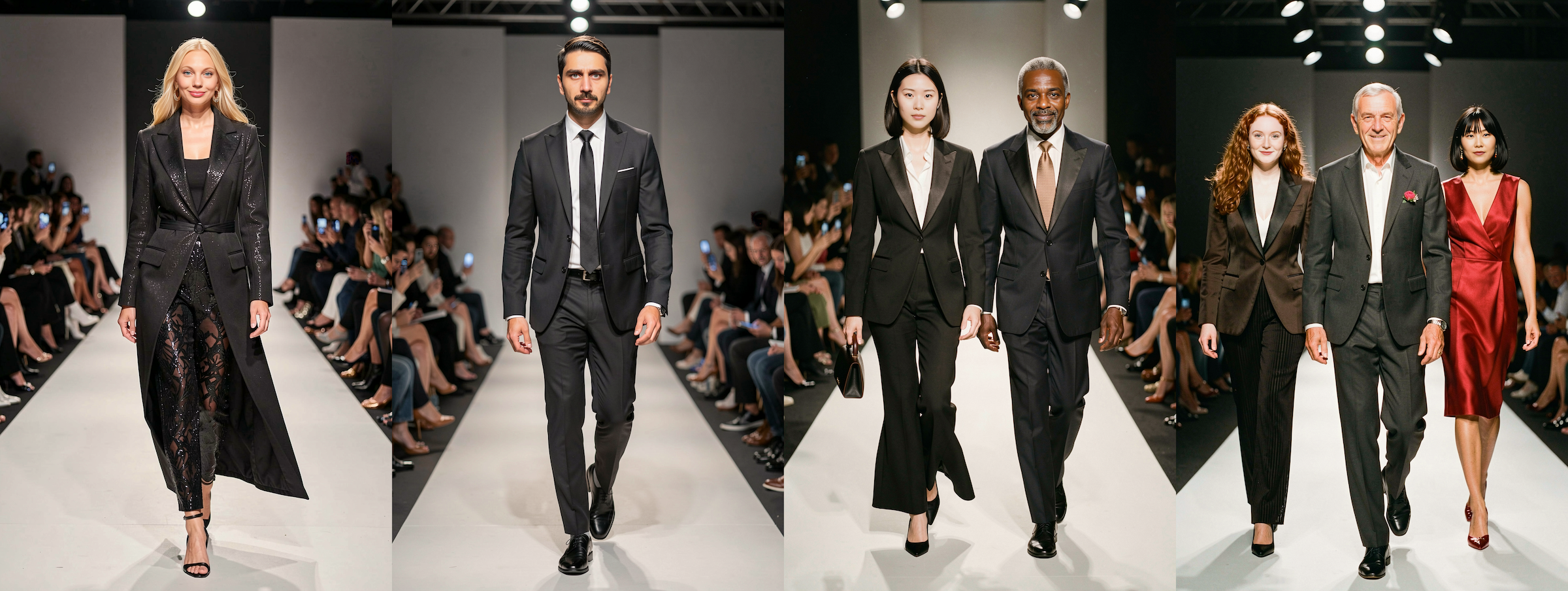
| Max People per Render | 1 | 1 | Up to 4 |
| Glasses / Bald / Hijabs Accuracy | Limited | Accurate | Highly Accurate |
| Photorealism Level | Standard | High | Next-Level |
| Available Styles | Realistic, Cartoon, Comic, Manga, Ageing | Realistic, Cartoon, Comic, Manga, Ageing | Realistic, Cartoon (Manga, Comic & Ageing coming soon) |
| Best For | High-volume previews | Realistic activations | Professional events & multi-person scenes |
What are good input images?
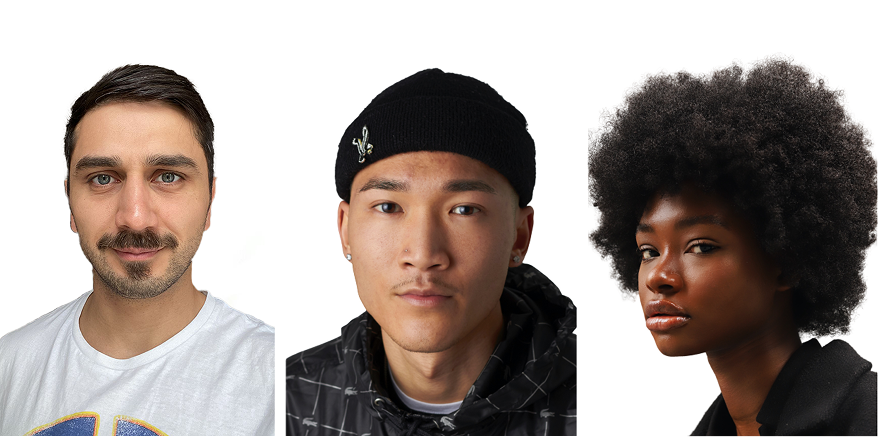
The quality of your result depends heavily on the quality of your input photo. Below are examples and tips to get the best results possible.
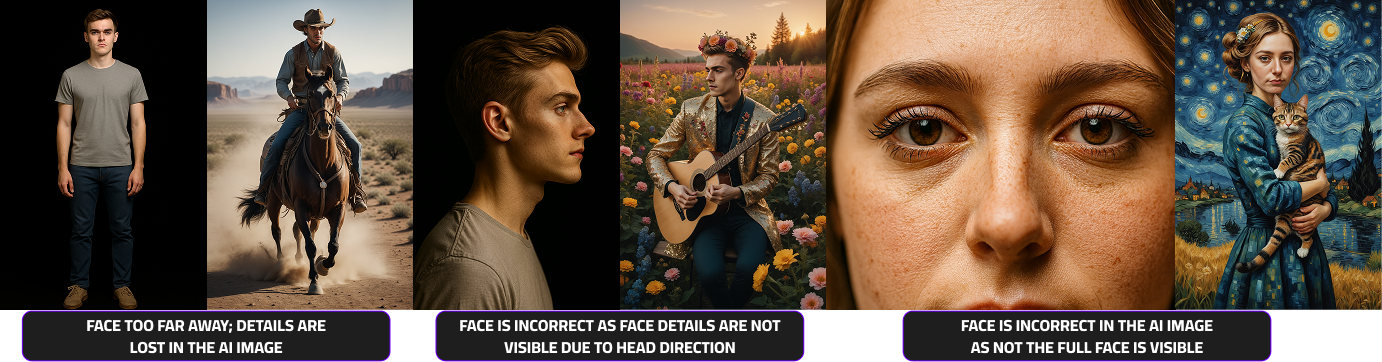
- Faceswap requires face-close-ups (e.g. selfies)
✅ DOs — What Works Best
- Use well-lit photos (natural light is ideal)
- Ensure the face is fully visible (no sunglasses, hands, or obstructions) and makes up around 1/3 to 1/2 of the image, the more details are visible the better
- Choose high-resolution images with clear, sharp details
- 📸 See examples of good input photos to understand how to set it up
❌ DON’Ts — Common Mistakes
- Avoid blurry, pixelated, or low-resolution selfies
- Don’t use side profiles or extreme angles
- Skip photos with harsh lighting or strong shadows
- Avoid hats, filters, or obstructions covering the face
- 📸 See examples of bad input photos to understand what to avoid.
How should I create a good user journey?
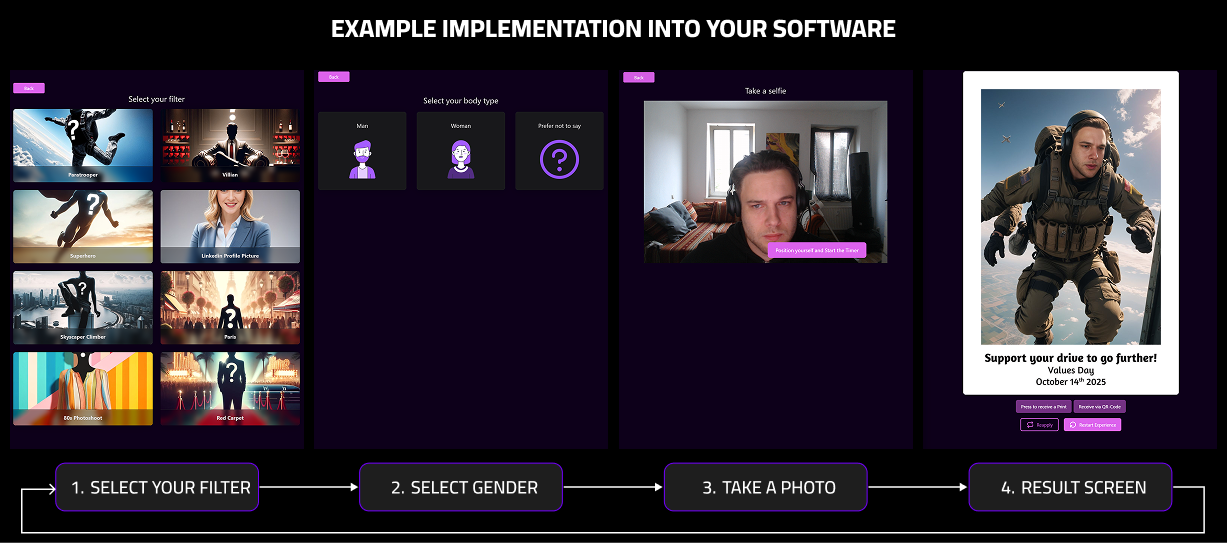
To integrate our AI photo booth experience seamlessly into your web app, follow the user flow below:
- Filter Selection – Let users choose from the available filters or effects.
- Gender Selection – Prompt users to select their gender for optimized results.
- Photo Capture – Start a short countdown before taking the photo, giving users time to pose.
- Processing & Results – While the image is processing, show a loading screen. Then display the final result.
- Results screen – Offer users the options to download or print their generated images and also to retake the photo or start a new session.
Example implementation into your software