Inpaint Image Guidelines
Use Images with Clear Unobstructed Faces
The subject’s face must be fully visible. Avoid images where the face is covered or partially blocked by hands, masks, visors, or any other objects.
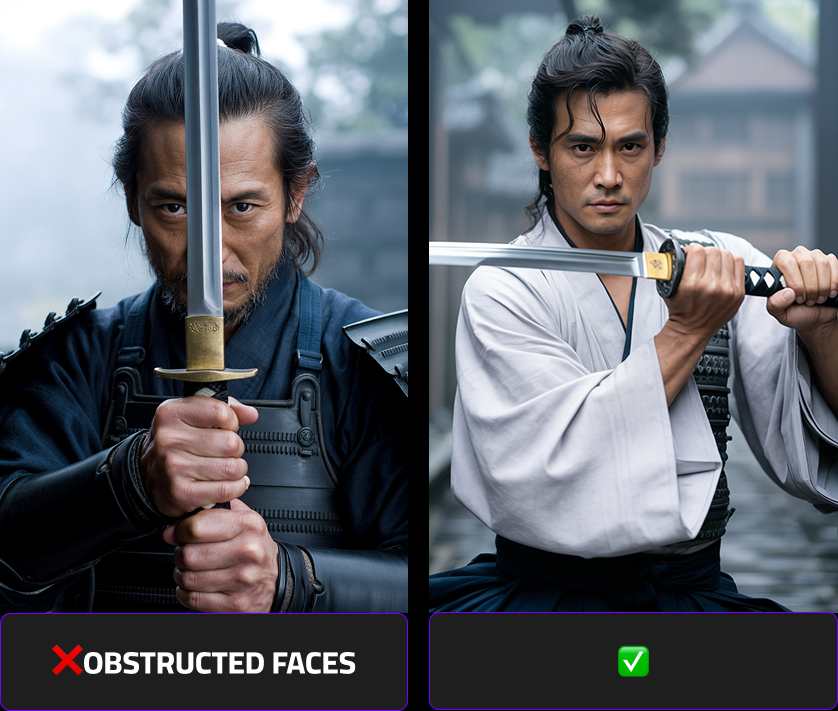
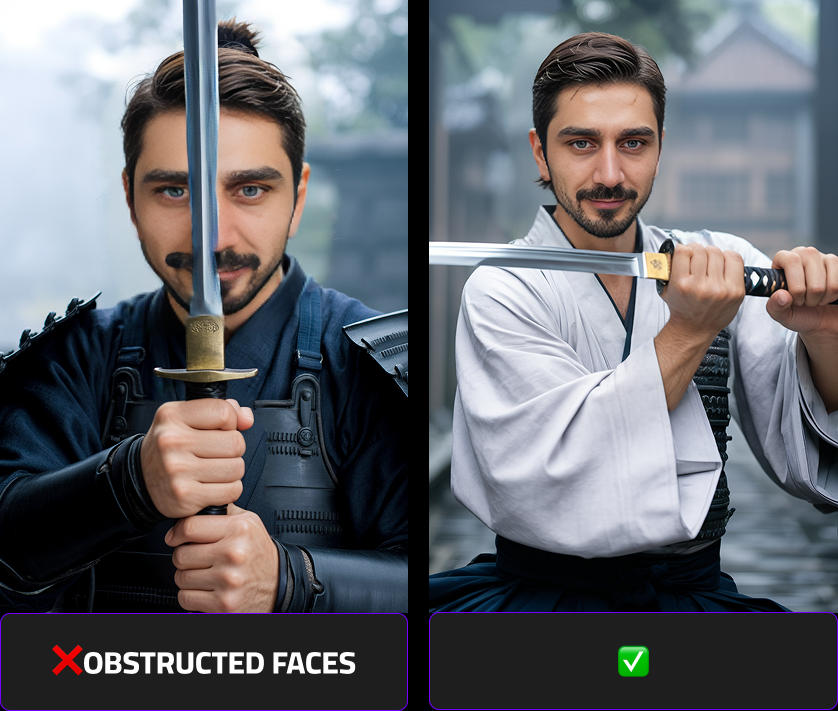
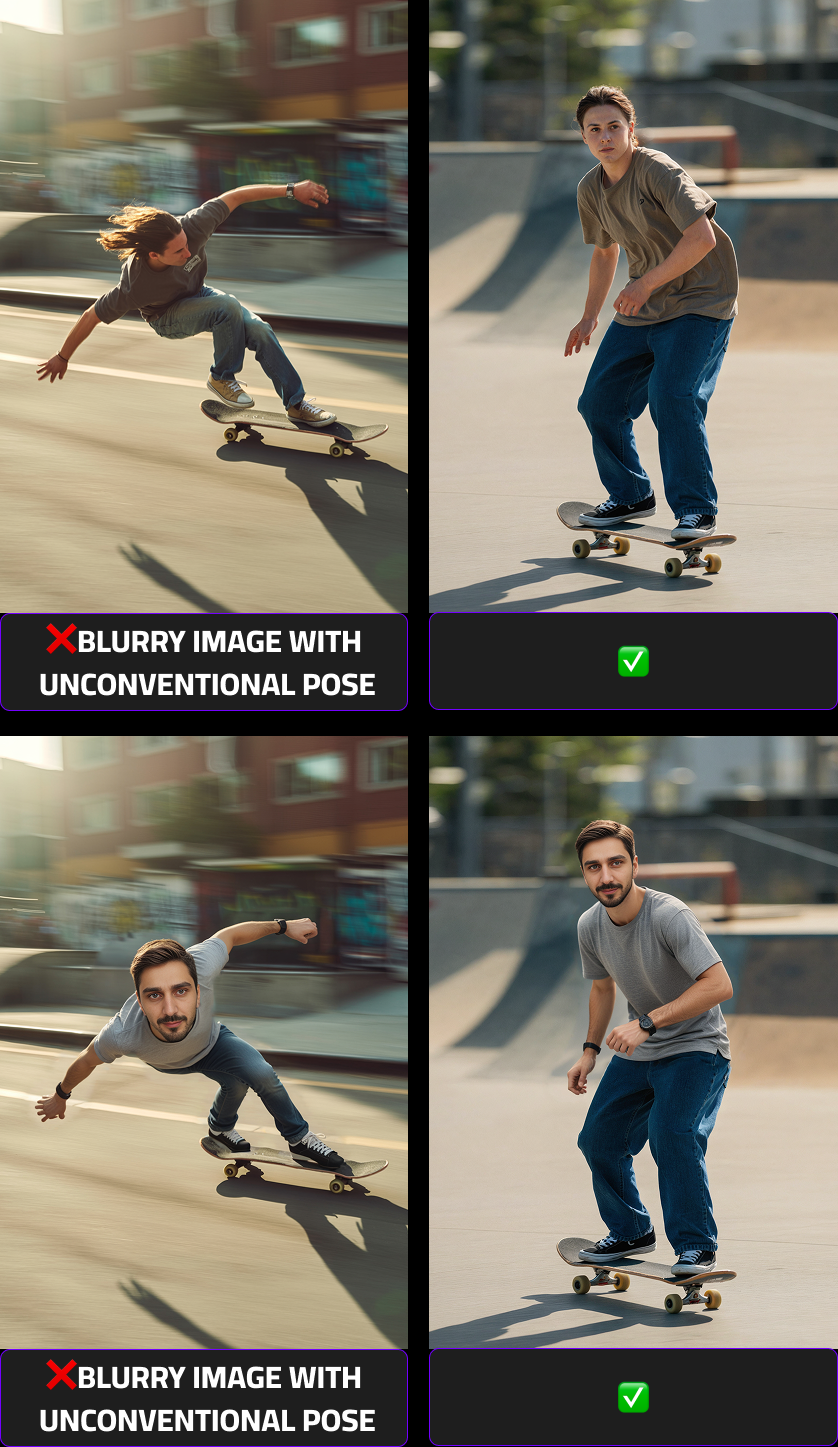
Provide Sharp Images With Simple, Readable Poses
Choose images that are in focus and easy to interpret. Blurry photos or complex poses can significantly reduce output quality.
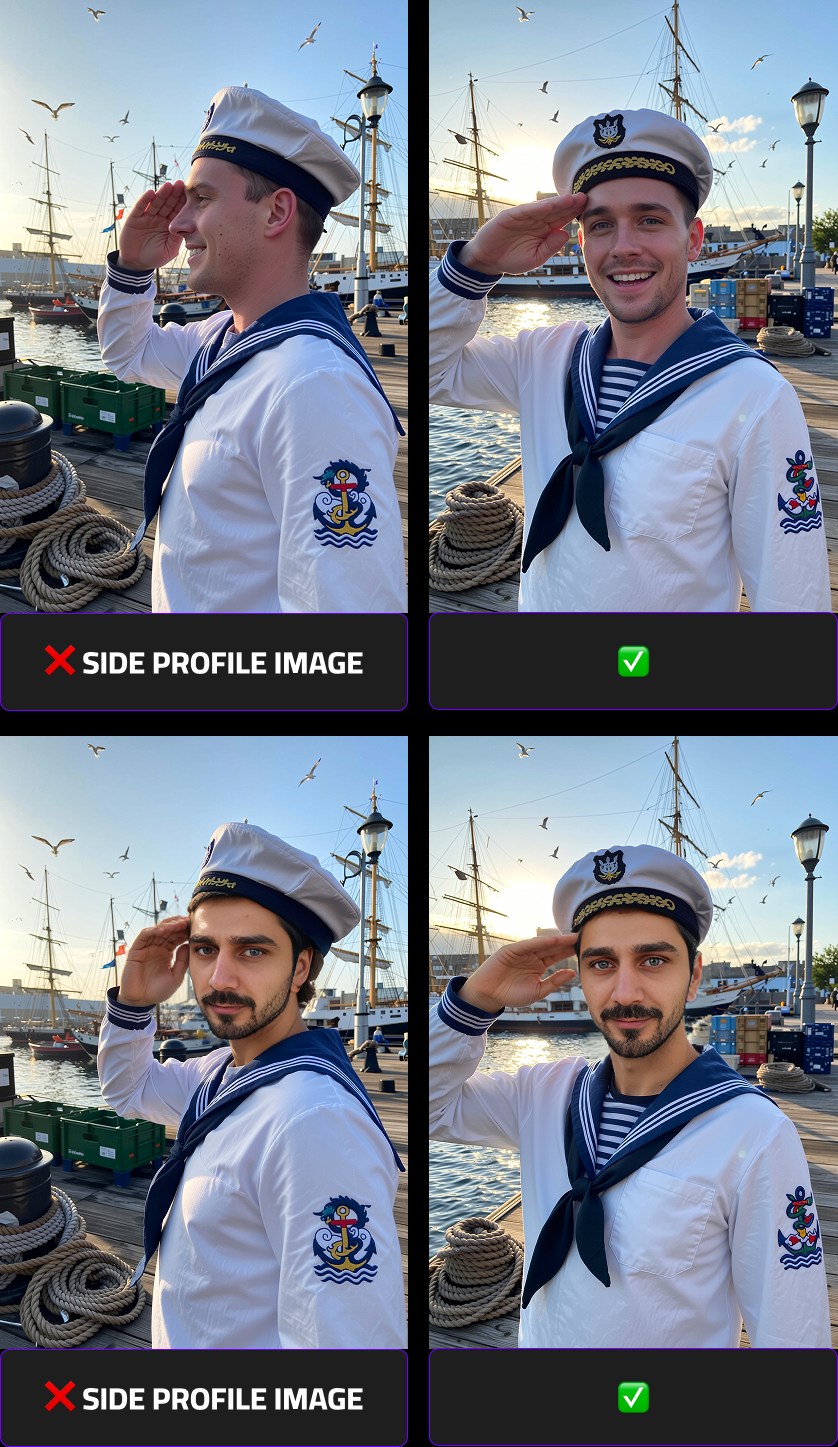
Prefer Front-Facing Photos
The face should be facing forward with minimal head rotation and minimal shadows. Side profiles or heavily angled shots are not recommended as they result in deformed representations of the users.
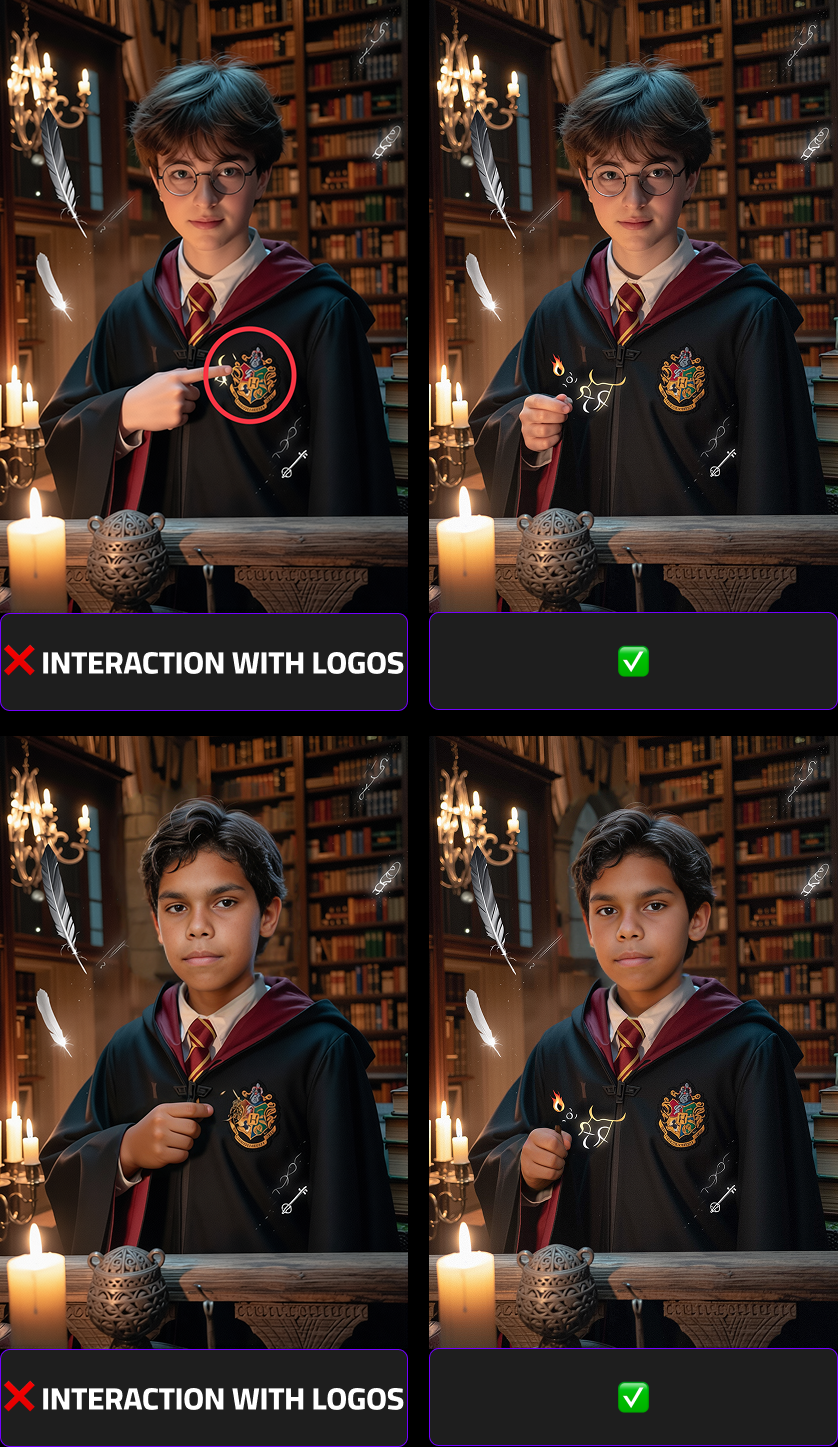
Avoid Interaction With Brand Logos
Images where the subject touches or overlaps with brand logos may introduce unwanted distortions during processing. Ensure there is no physical interaction with any branded elements.
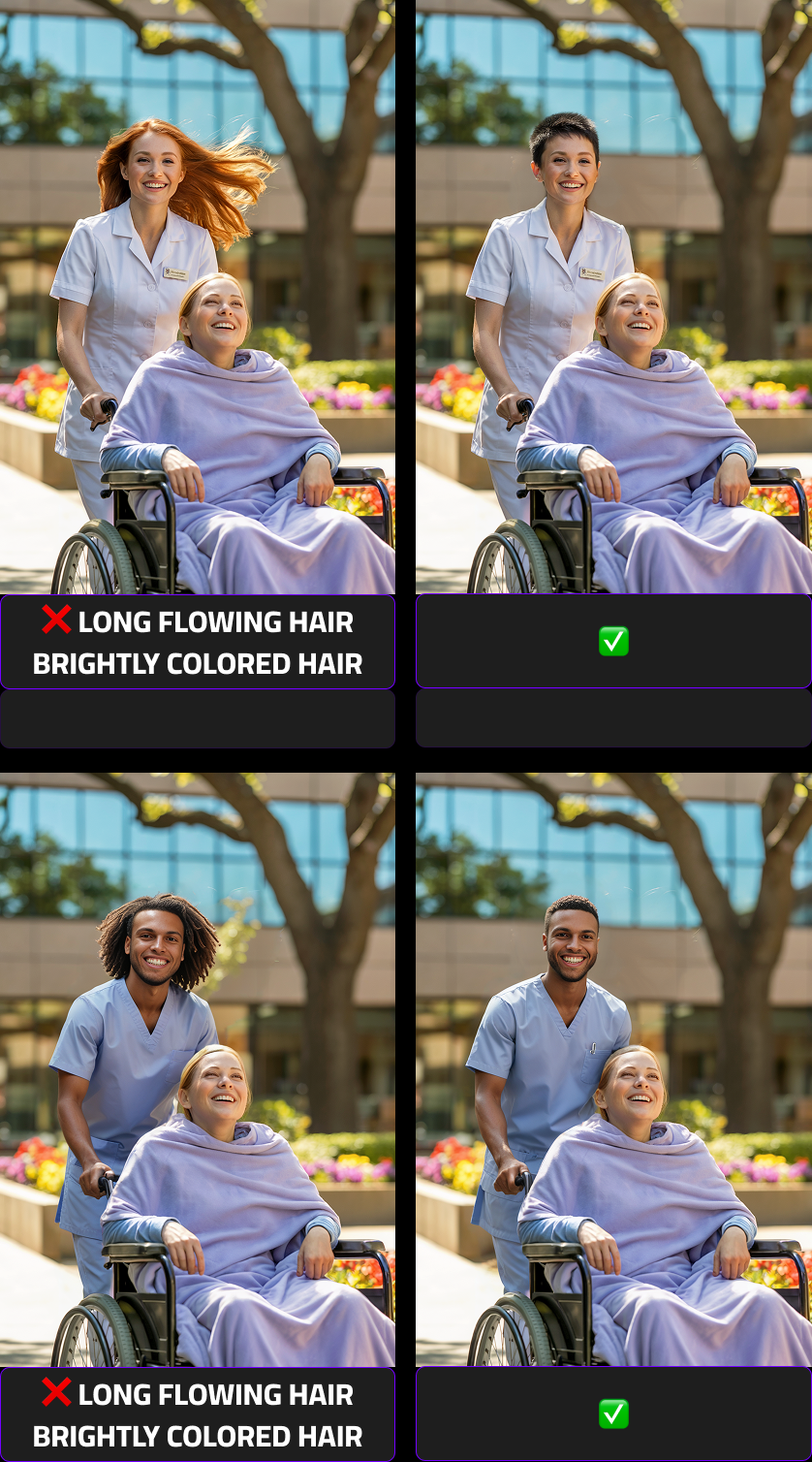
Use Subjects With Neutral, Non-Flowing Hair
For best compatibility across different face swaps, avoid subjects with brightly colored, dynamic, or flowing hair that may complicate the inpainting process.
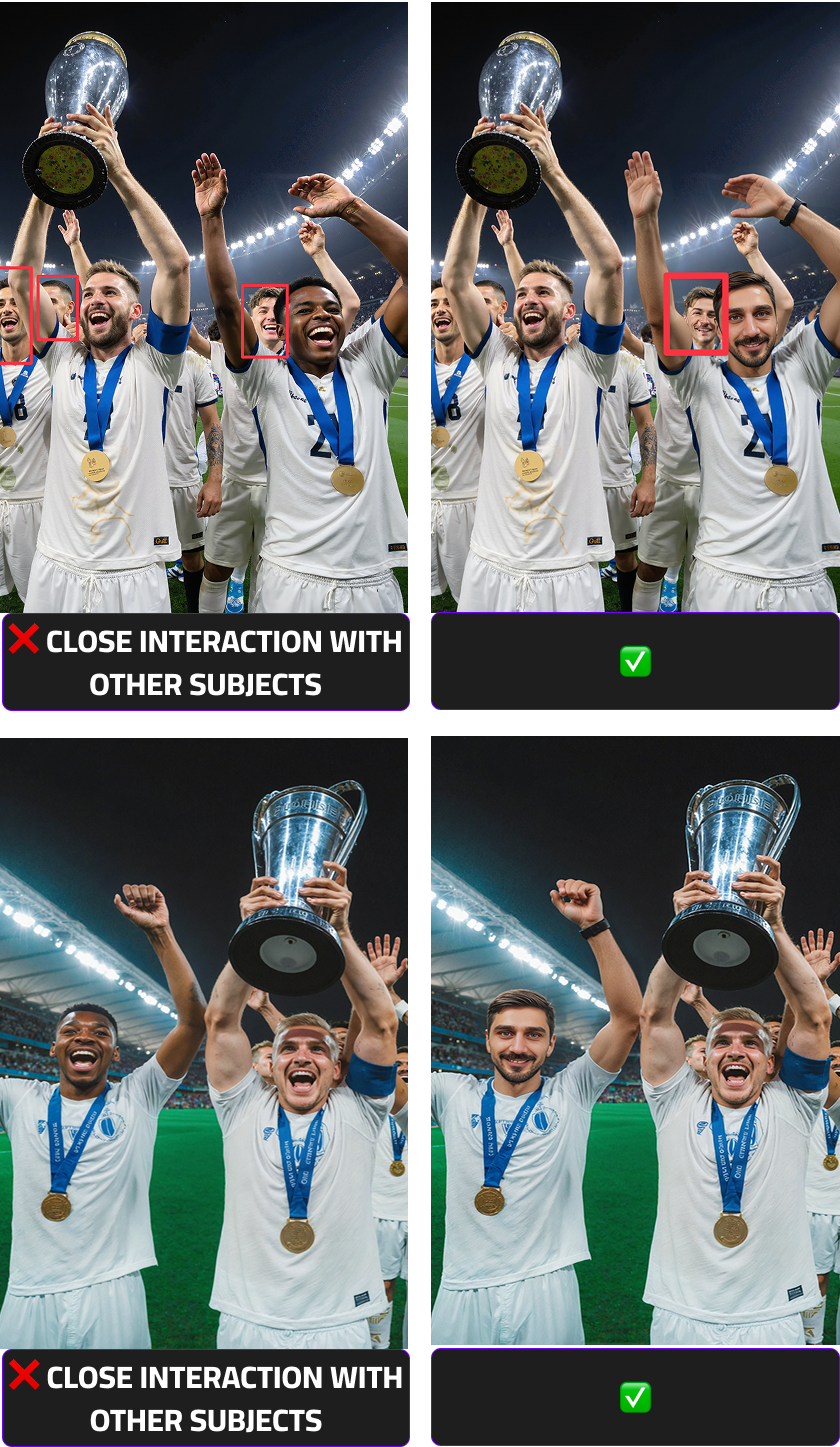
Limit Close Contact With Other People
Images where faces, arms, or bodies are very close together — especially around the areas to be swapped — can lead to unintended facial distortions. Use photos with clear separation between individuals.
Note
When working with low-quality or unsuitable base images, it may be necessary to make small adjustments such as removing distracting or unwanted elements to achieve acceptable results.
In some cases, however, it may be significantly more efficient to recreate the entire image in a more appropriate and face-swap-friendly manner.