WebApp Help Center > Webapp Account & Billing
How do you manage your subscription (cancellation or upgrade)?
How do you manage your subscription (cancellation or upgrade)?
How do you manage your subscription (cancellation or upgrade)?
Sub Cancellation
If you want to cancle your active subscription you can do this directly via the webapp.
- Open Your Account
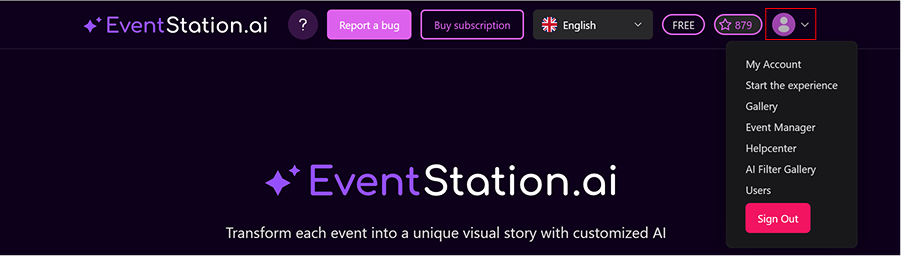
From the home screen, click on your profile icon in the top right corner. Then select “My Account.”
2.Cancel Sub
Inside your account, You can now click on the Button “Cancel Subscription”. You receive a confirmation via E-Mail
Note
A cancellation needs to happen 14 days before the end of your subscription to be affective in the same subscription period. Uncancelled subscription are getting automatically renewed.
Subscription Upgrade
If you want to upgrade your active subscription either to a lower or a higher tier you can do this directly via the webapp. An up or downgrade gets applied ot the end of your current subscription period. Not immeadiatly.
Please go to your profile page:
From the home screen, click on your profile icon in the top right corner. Then select “My Account.” There you up or downgrade your current subscription.