WebApp Help Center > Webapp Account & Billing
How do you purchase a Subscription?
How do you purchase a Subscription?
- Open the Subscription Page
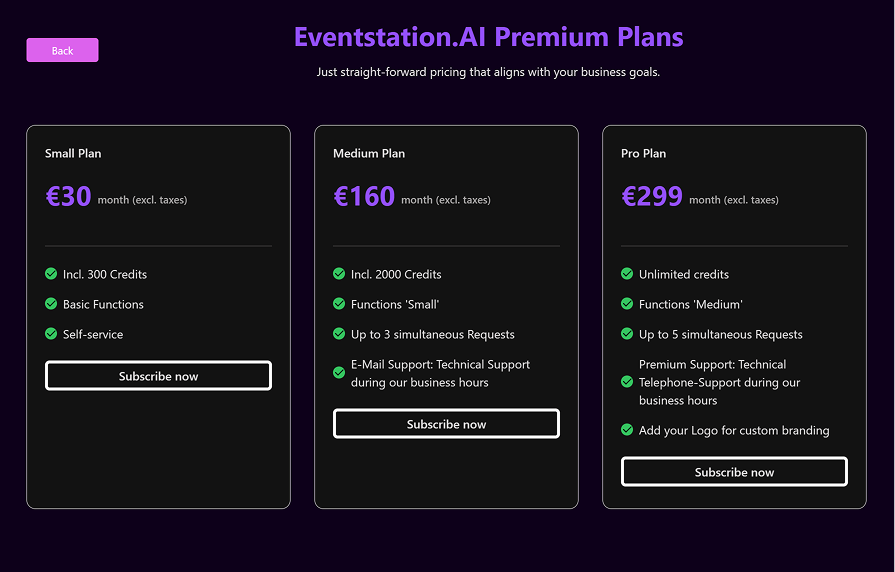
On the home screen, click on “Buy Subscription.” This will take you to the subscription overview, where you can view all available plans and choose the one that best fits your needs.
💡 To learn more about what each plan includes, check out our [Pricing & Credits Guide →].
- Complete Your Purchase
After selecting your preferred plan, click “Subscribe Now.”
You’ll be redirected to our secure payment provider, Stripe, where you can:
- Enter your personal and payment details
- Confirm your order
Once the payment is successful, your subscription will be activated immediately.
You’ll gain access to all features included in your chosen plan and can start creating your events right away.