Faceswap: Text2Filter
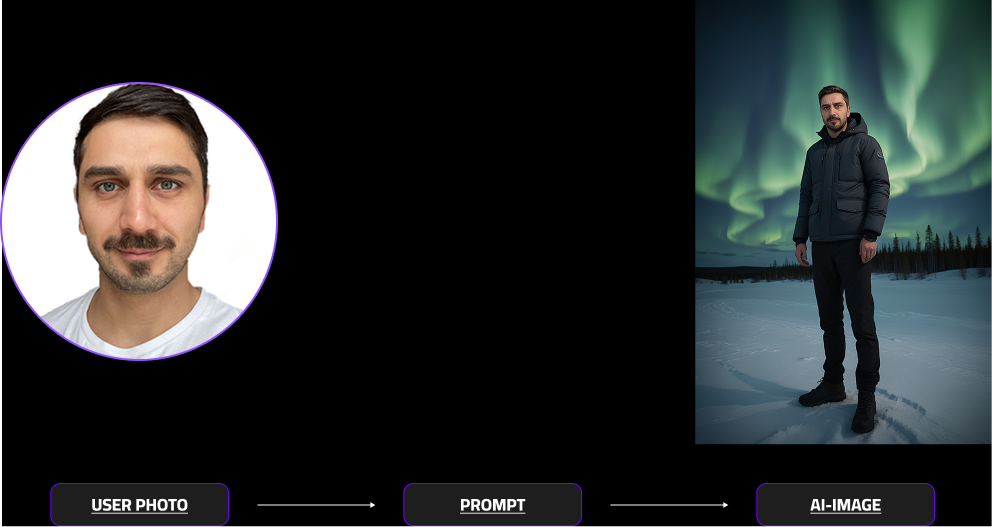
With Faceswap Text2Filter, you can easily create your own single-person filters for our V4 and V5 models — directly through text prompts.
By simply describing your desired look or style, the AI automatically transforms the user’s face according to your prompt.
In this guide, you’ll learn:
Getting Started with Text2Filter
Text2Filter allows users to create personalized filters through text prompts. By simply describing the desired style or look, Text2Filter automatically transforms you into the prompted scenery while keepping your liekness.
How to get started?
Select Faceswap (V5 or V6), insert a Prompt into the Text field and add a Test photo.
Requirements Prompt: Add a person, this is required
Requirements Test Photo: Please match the users gender with the selected users gender.
What are good input images?
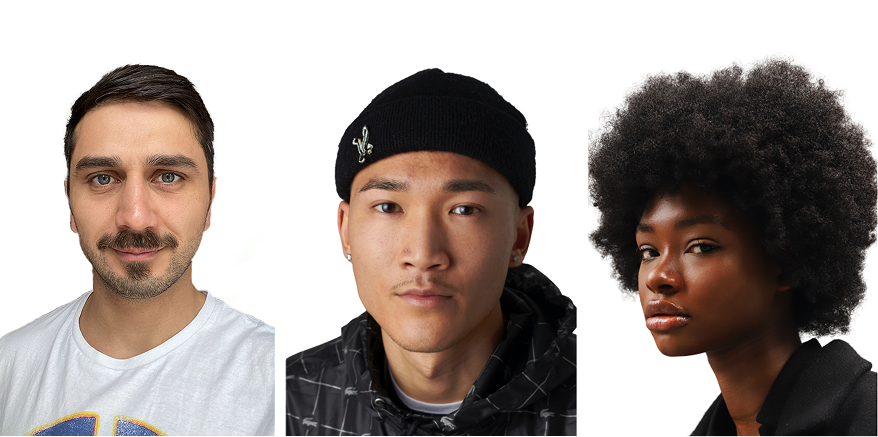
The quality of your result depends heavily on the quality of your input photo. Below are examples and tips to get the best results possible.
- Faceswap requires face-close-ups (e.g. selfies)
✅ DOs — What Works Best
- Use well-lit photos (natural light is ideal)
- Ensure the face is fully visible (no sunglasses, hands, or obstructions) and makes up around 1/3 to 1/2 of the image; the more details visible the better
- Choose high-resolution images with clear, sharp details
- See examples of good input photos to understand how to set it up
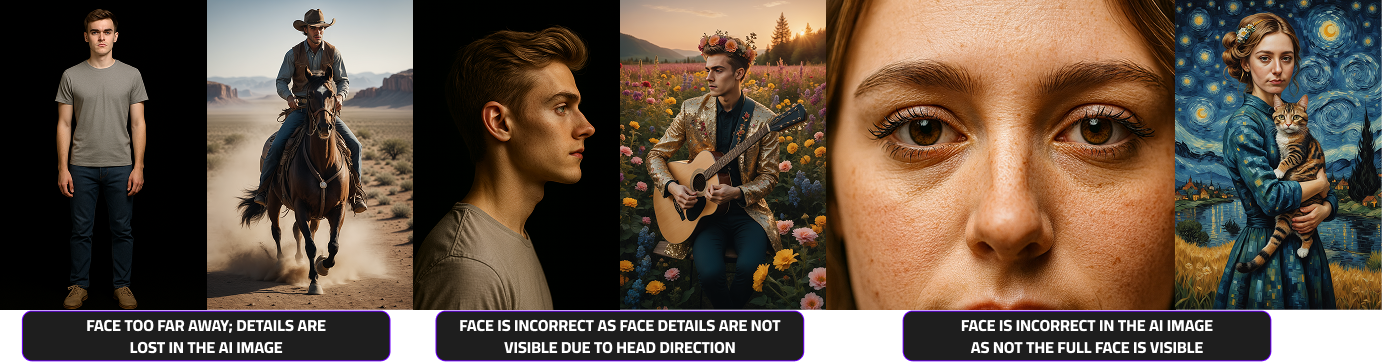
❌ DON’Ts — Common Mistakes
- Avoid blurry, pixelated, or low-resolution selfies
- Don’t use side profiles or extreme angles
- Skip photos with harsh lighting or strong shadows
- Avoid hats, filters, or obstructions covering the face
- 📸 See examples of bad input photos to understand what to avoid
Prompting: From Theory to Reality
Prompting is how you communicate with the AI.
It’s not about writing more — it’s about writing clearly and visually.
Below you’ll find separate guidance for V5 and V6.
Prompting for V6
V6 works best with a clear, structured visual description.
You don’t need long prompts — just follow the basic formula and keep it visual.
V6 formula
[PERSON] [OUTFIT] [ACTION/POSE] [SCenery] [STYLE/DETAILS]
Example
Person in neon-trimmed cyber tactical outfit, action pose in a cyberpunk neon city, full body photograph, rainy night noir vibe
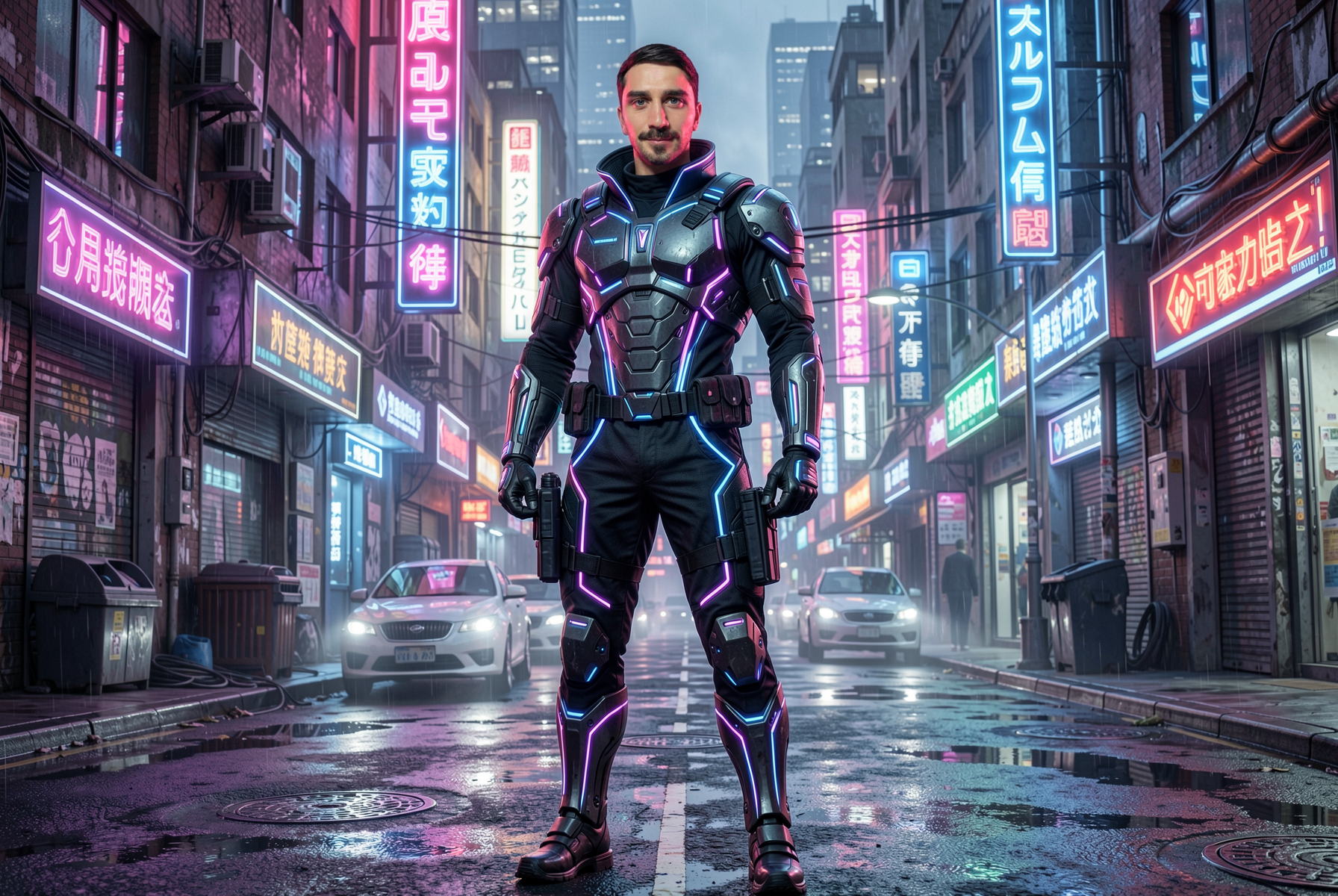
Prompting Do’s
- Use PERSON (always)
- Keep prompts visual and direct
- Focus on one clear scene
- Use strong style keywords
- Full body compositions work best
What to avoid
- Writing man/woman instead of PERSON
- Too many ideas in one prompt
- Abstract concepts that are hard to visualize
- Masks or covered faces
- Extreme camera changes from input photo
Final tip
If results don’t work, simplify the prompt and rebuild step by step or activate our prompt suggestion to get the perfect prompts
Prompting for V5
V5 works best with descriptive but concise prompts.
You have a lot of creative freedom — just keep the subject clear and visual.
Recommended formula
[Camera] [Subject] [Style] [Scenery] [Adjectives]
Example:
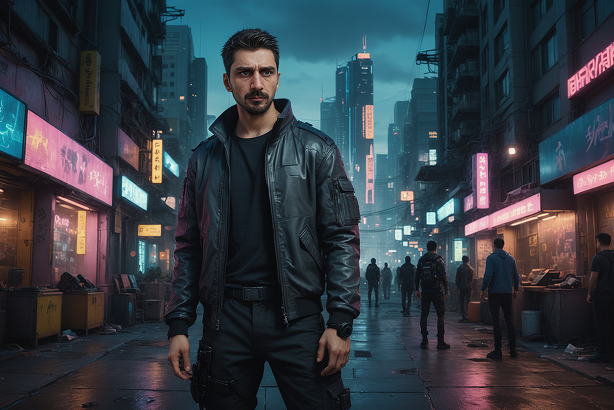
Full body portrait, a photography of a male standing in a cyberpunk city surrounded by building at dusk, style of Cyberpunk 2077, highly detailed, cinematic
Prompting Do’s
- Be specific but concise
- Use clear visual keywords
- Keep the subject visible
- Choose a matching aspect ratio
- Start simple and build complexity
What to avoid
- Long storytelling prompts
- Too many different ideas at once
- Masks or covered faces
- Extreme camera changes vs input image
Helpful tip
Adding gloves can sometimes reduce the chance of deformed hands.
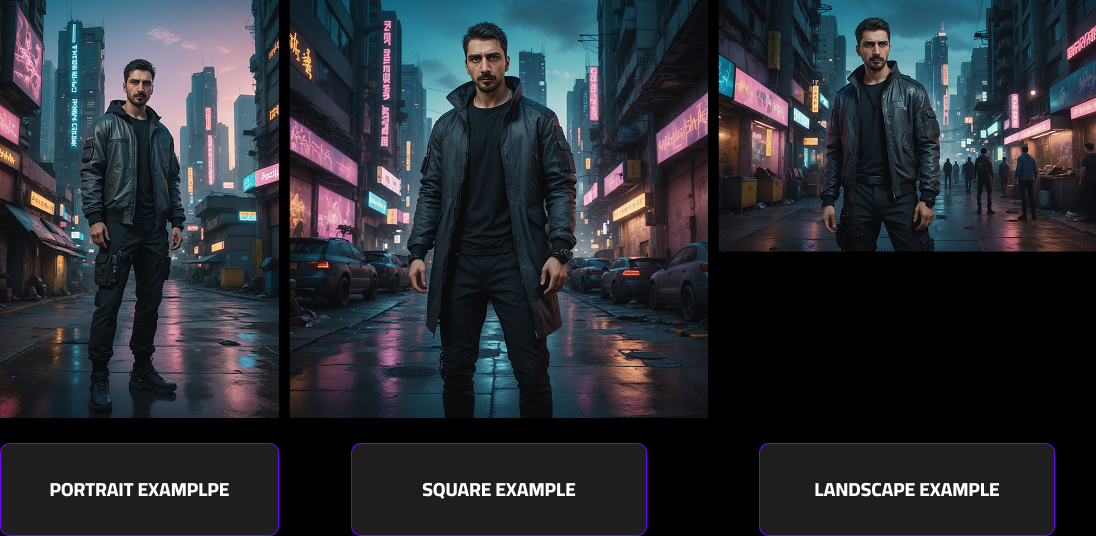
V5 + V6 Aspect Ratios Matters
- Landscape: Great for scenery and wide shots. Can crop people.
- Portrait: Ideal for character-focused compositions.
- Square: The most universal and balanced format.
Prompt examples
Prompt Overview – Full Generative Examples
| Prompt Example | Model Version | Person Support | Prompt | Image |
|---|---|---|---|---|
| Money Throne | v5 | Single Person | A full body portrait of a badass male sitting on a flaming throne surrounded by a pile of dollar bills, with more bills flying through the air, intense lighting and dramatic atmosphere in the detailed, fantastical style of Andreas Rocha, ultra cinematic lighting, atmosphere, photorealistic, studio lighting | 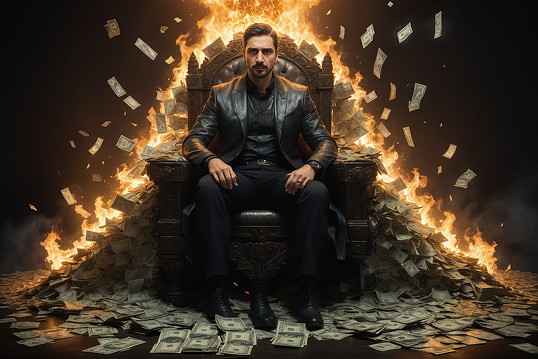 |
| Roman Gladiator | v5 | Single Person | A full body portrait of a powerful Roman gladiator in detailed ancient armor, standing in a dramatic colosseum arena, dust in the air, cinematic lighting, ultra detailed textures, photorealistic, intense atmosphere | 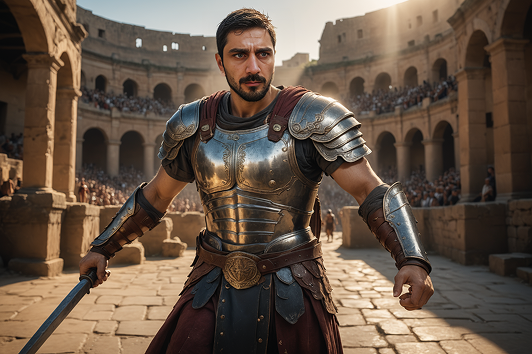 |
| Person as Van Gogh Painting | v5 | Single Person | A full-body painted portrait of a male gently holding a cute cat, set within a swirling, dreamlike landscape inspired by Van Gogh’s Starry Night. Standing beneath a sky alive with vibrant, textured stars and luminous swirls of deep blue and gold. The landscape is fantastical, with rolling hills and whimsical shapes rendered in expressive brushstrokes. Cinematic lighting with dramatic shadows and soft volumetric glow. | 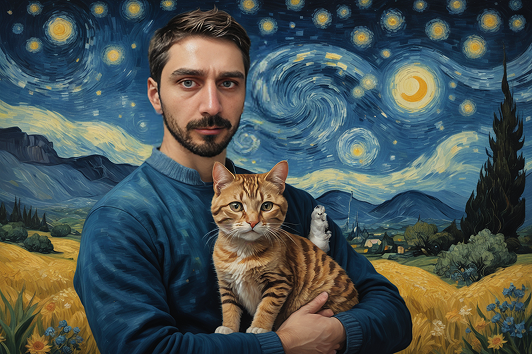 |
| Person as Van Gogh Painting | v6.1 | Single Person + (Group: Coming Soon) |
Person in van gogh painter clothes holding a cute cat in a starry night landscape, looking at the camera. A full body Photograph | 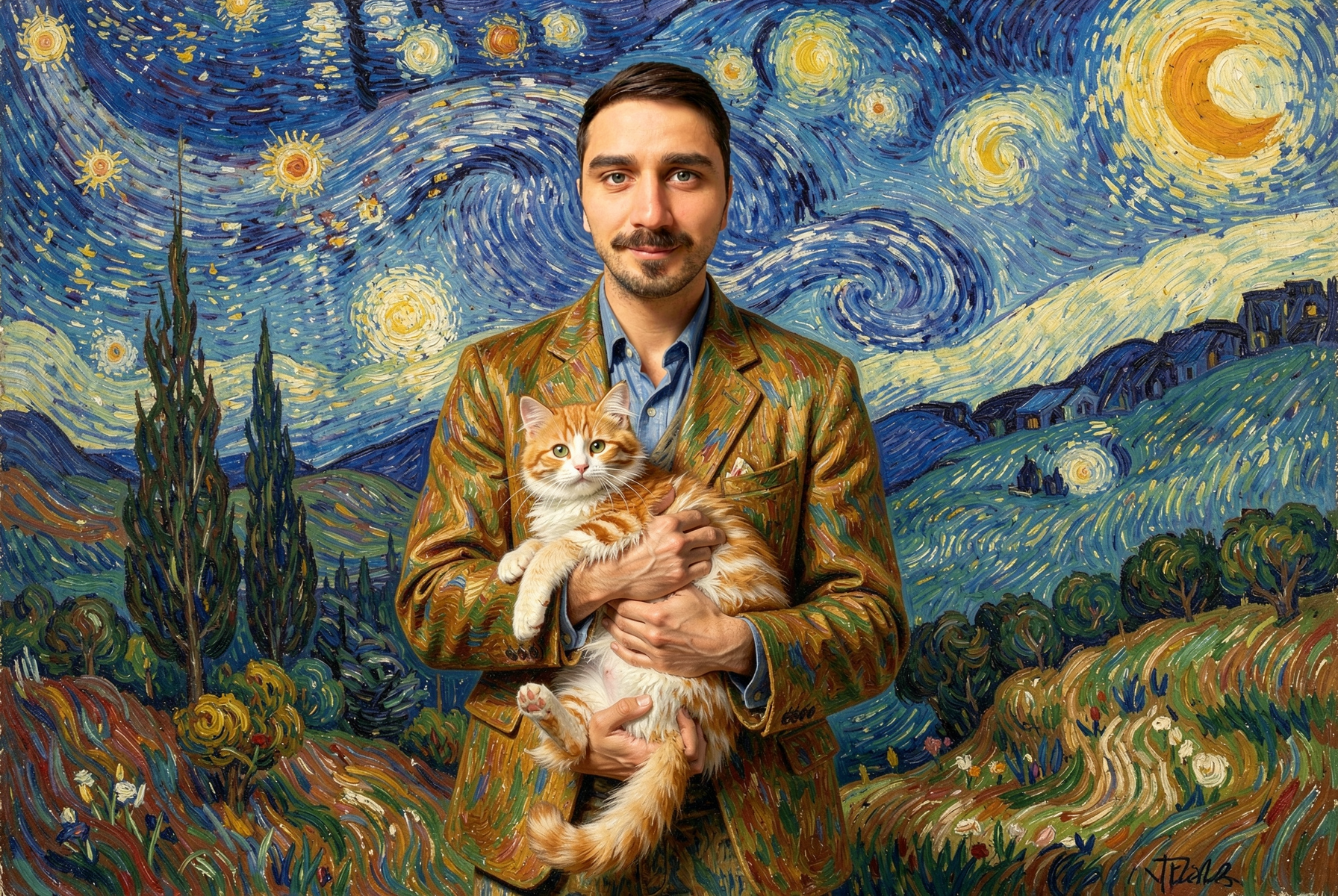 |
| V6.1 Example 2 (TBD) | v6.1 | Single Person + (Group: Coming Soon) | Person in ethereal angel robes standing in heavenly clouds, looking at the camera. A full body Photograph | 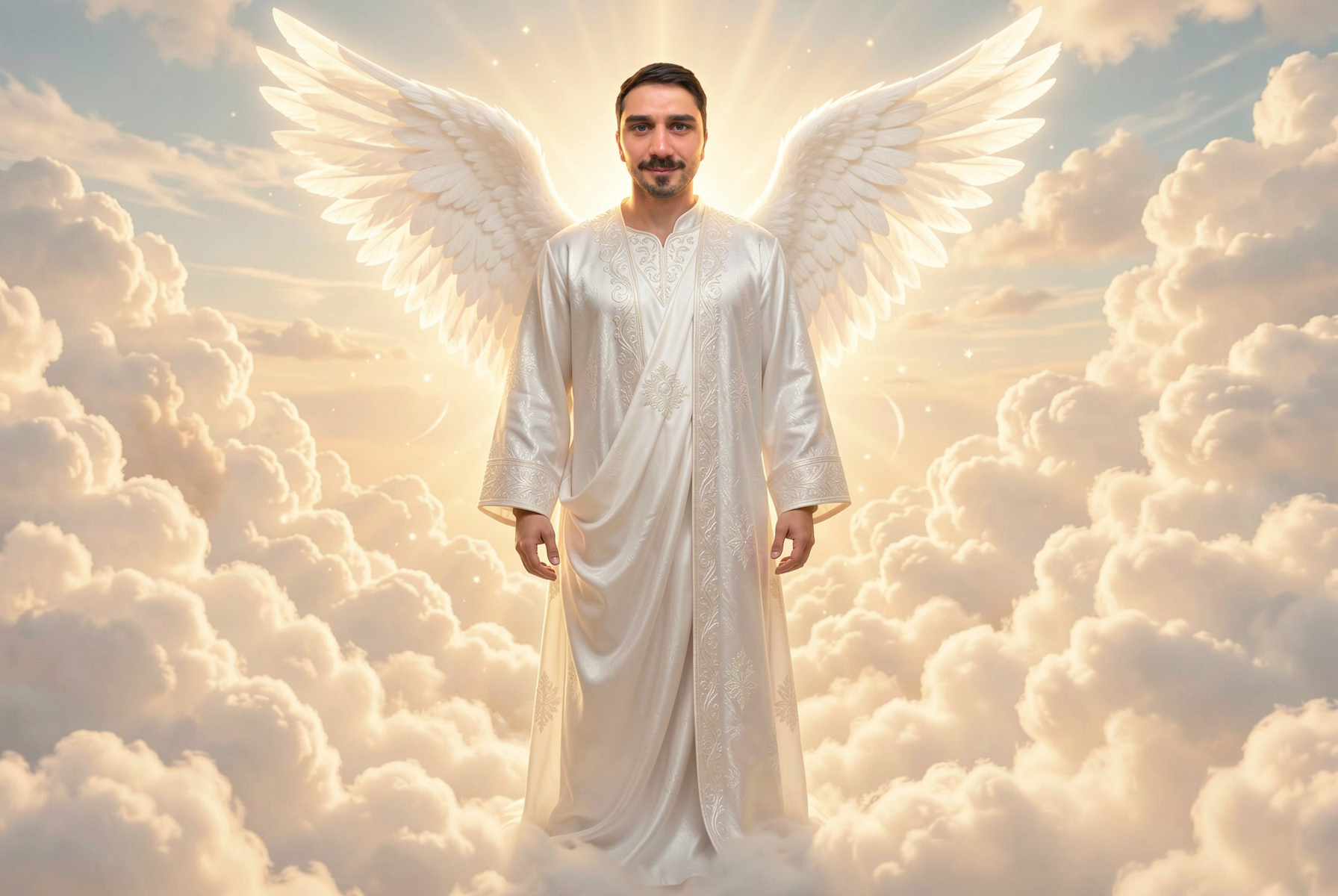 |
| V6.1 Example 3 (TBD) | v6.1 | Single Person + (Group: Coming Soon) | Person in mountain biking gear racing down a challenging rocky trail, looking at the camera. A full body Photograph | 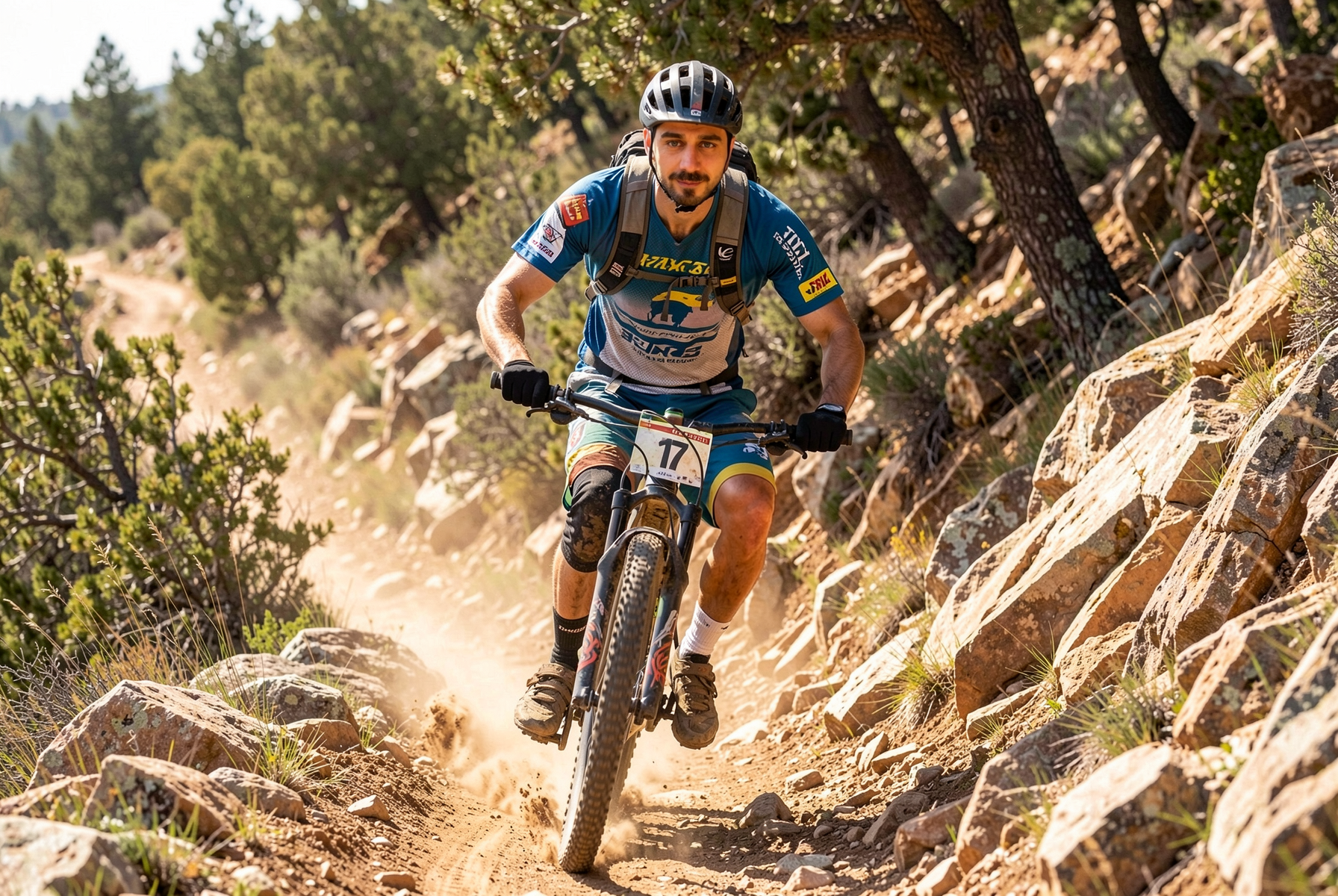 |